01
Above the rim
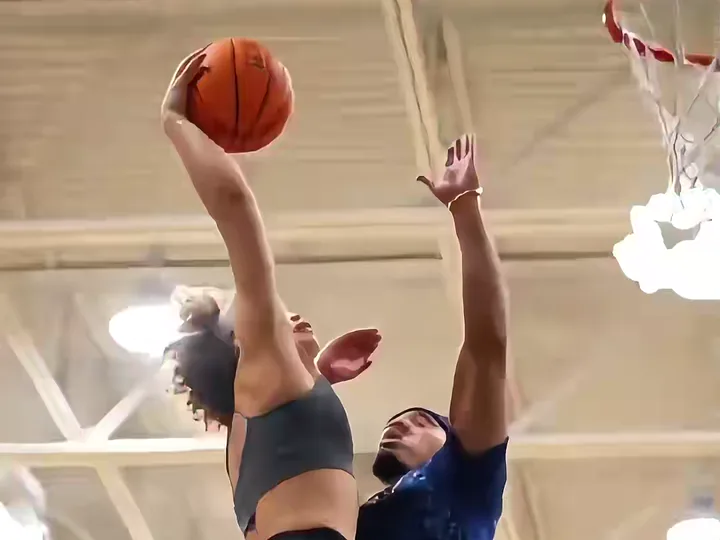
A drive, a jump and a low-angle finish.
Basketball Dunk AIYVD STUDIO
Build a six-second dunk concept from one photo, or cast a consenting friend as the defender. Choose a poster dunk, rivalry or open-gym scene.
Sample from the reference site. Your result will vary.
View sample sourceTHE SCENE COLLECTION
Build a six-second dunk concept from one photo, or cast a consenting friend as the defender. Choose a poster dunk, rivalry or open-gym scene.
A drive, a jump and a low-angle finish.
Two portraits: dunker first, defender second.
A two-hand slam in an open gym.
Sample from the reference site. Your result will vary. View sample source ↗
 YVD / Basketball Dunk AI
BEHIND THE IDEA
Go from the first drive to the rim in a compact highlight. The solo preset adds a fictional defender; the two-photo version gives both roles a reference. Open Gym uses a pickup-game finish. The scene describes the approach, jump, dunk and landing, with a short replay direction. It is generated sports fantasy, rather than footage of a real game.
CreateUse a head-to-knees or full-body photo if possible, with the outfit visible. In the result, check ball contact, fingers, the rim and the landing. Fast action can create temporary distortions.
YOUR NEXT TAKE
Add the photos requested by your scene. Check their order and framing.
Choose your scene or adjustment settings. For AI generation, review the total credit quote before confirming.
Inspect the finished details and download the version you want to keep.
CLEAR BEFORE YOU CREATE
Your quote reflects the selected video length, resolution and audio setting. Check the total before confirming.
Seedance 2.0 Face · 6s
Seedance 2.0 Face · 6s
Upload the dunker first and the defender second. Separate portraits provide clearer role references; you can also select one photo together when both faces are visible. Everyone pictured must agree.
Photos guide the subject’s appearance. AI can change facial details, hands, clothing and backgrounds. Inspect the result before sharing; examples are a style reference.
No. Choosing files and reviewing a brief does not start a task. The confirmation button sends the generation request and uses the credit quote shown.
Sign in to the same YVD account and open My creations. Download files you want to keep. Check YVD’s terms and privacy pages for the service rules.
KEEP EXPLORING
Explore more photo and video scenes in the same YVD studio.